


Getting Your Biz On Google Maps/+/Search
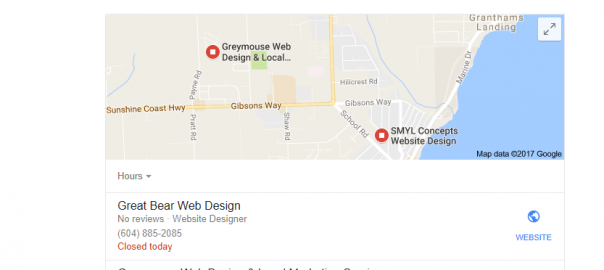
Ever noticed your competitors business listing in that top 3-Pack or showing on the left side during a business search on Google?
 Why isn’t YOUR business there…? Well that is probably a very easy answer (not so easy solution) and something your business really needs to look after ASAP!
Only claimed, registered and verified businesses can have their sites show in that upper page 3-Pack and over in the business highlight area to the left on Google search pages. So here is a simple way to check to see if you have or haven’t claimed your Google My Business page:
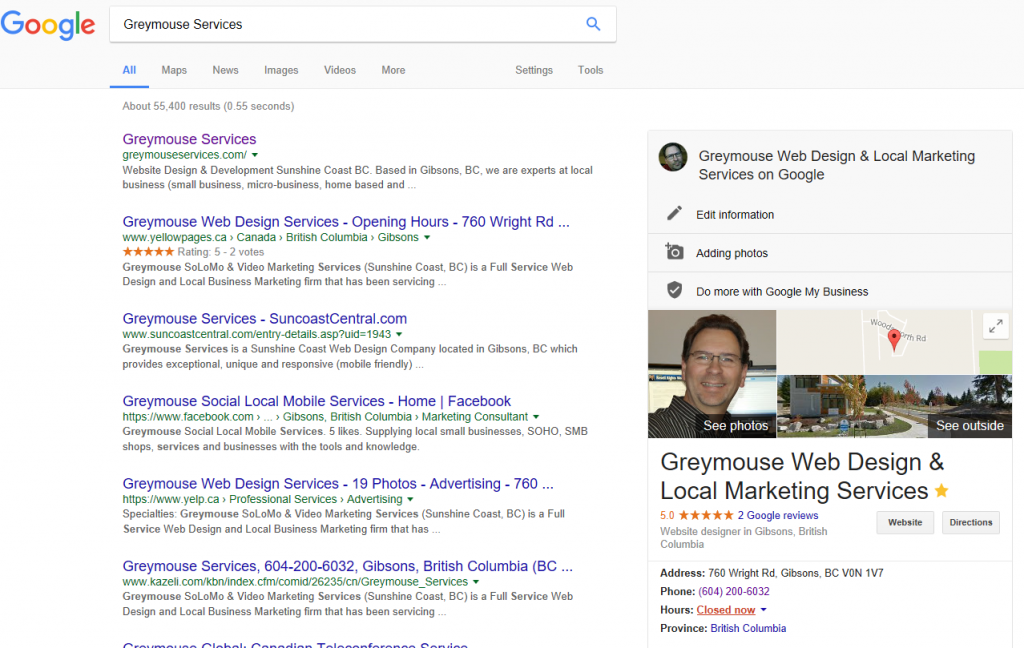
- In a new Google search, type in the exact name of your business.
- What you should see is all of the pages/social media/directory listings for your business on the left side and a Google My Business placement listing on the right.
- Check out that GMB listing on the right and if you can see “Own this business?” then you haven’t claimed your GMB for your local business.
As you can probably tell by checking search listings, especially for service oriented businesses, having your business “claimed/verified” by Google ensures that you will at least have that opportunity to get your business listed in that 3-Pack (although getting it there is sometimes a bit tougher than it looks).

Give us a call or email for more info on how to get YOUR business using the powerhouse of Google My Business (Google+/Maps/Search)
604-200-6032 or localbiz@greymouseservices.com / info@localbiz.tips